How to copy an Android phone to a Windows PC
Photos and files with one tap on the phone; messages, contacts, call log and calendar with USB debugging switched on once. Nothing uploaded.
Last updated 25 October 2026. Written by BlackBox Tools, the maker of PhoneFerry.
The short answer
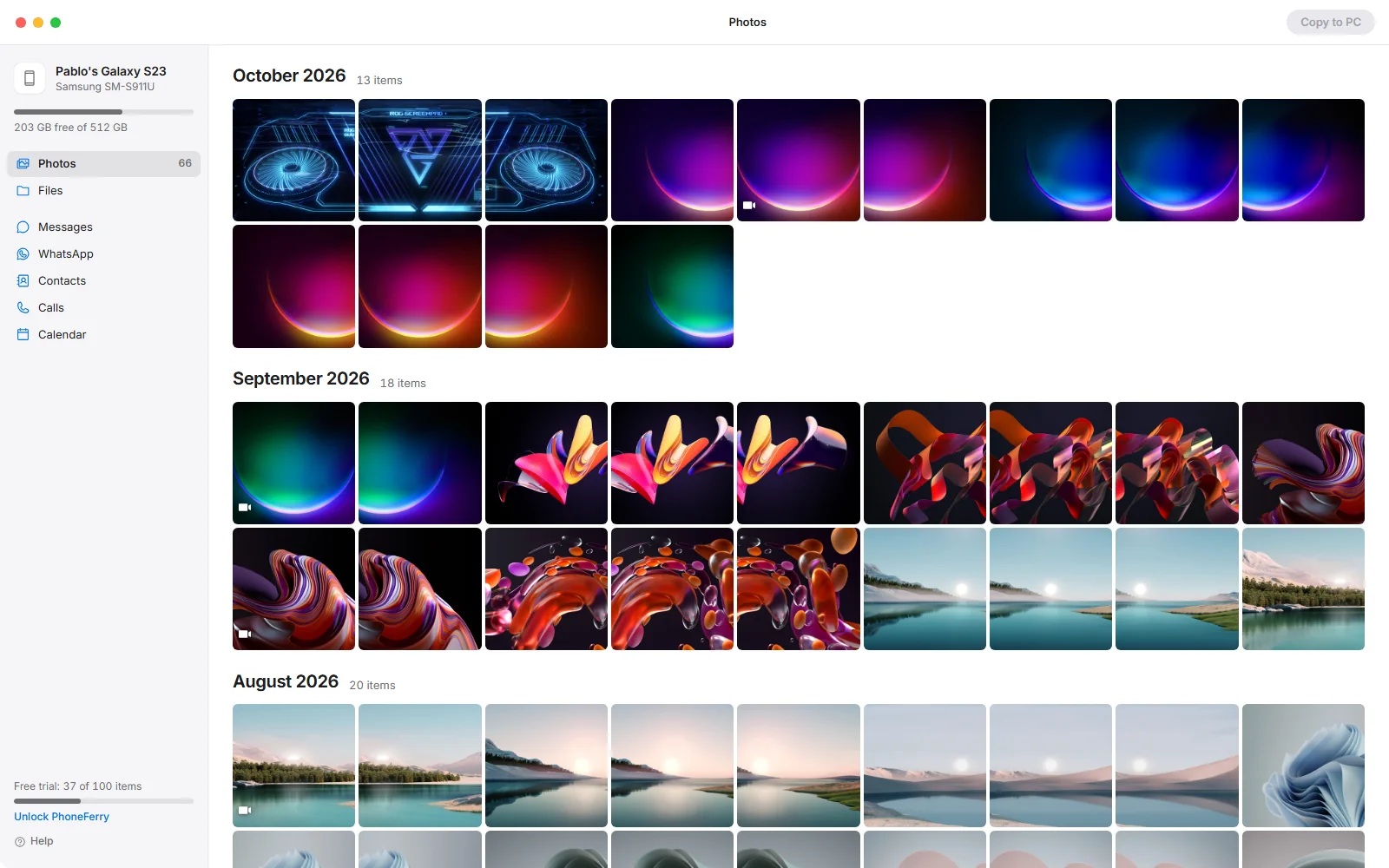
Plug the phone in, choose File transfer on it, and PhoneFerry shows the camera roll by month; pick and press Copy to PC. For messages, contacts, calls and calendar, turn on USB debugging once under Developer options and press Read. Everything travels over the cable to your own PC.
Step by step
- Install PhoneFerry. Download PhoneFerry from blackboxtools.com and run the installer. An Android phone needs nothing installed on the PC side beyond PhoneFerry itself, and nothing on the phone.
- Plug the phone in and choose File transfer. Connect the cable. On the phone, tap the USB notification and choose File transfer (also called MTP). PhoneFerry opens by itself and shows the camera roll by month, plus Files.
- Copy photos, videos and files. Click what you want, or a whole month, and press Copy to PC. Files land with their dates and nothing is overwritten. Drag files from Explorer onto the window and they go the other way, onto the phone, the camera roll included.
- Optional: messages, contacts, calls and calendar. These need USB debugging switched on once. On the phone: Settings, About phone, tap Build number seven times; then Settings, Developer options, USB debugging on. Press Read in PhoneFerry and tap Allow on the phone. The first read fetches Google's own Android tools once (about 8 MB) after you say yes. Then messages read as conversations with their pictures, and contacts, call log and calendar export as vCard, CSV and .ics.
Questions
Which Android phones work?
Any phone that offers File transfer over USB, which is every Samsung, Google, Motorola and OnePlus phone of the last decade. Messages and contacts need USB debugging, which every Android phone has under Developer options.
Can it read WhatsApp on Android?
WhatsApp encrypts its chat database on Android with a key only the app holds, so no PC program reads it. PhoneFerry saves WhatsApp's archive files to the PC, which WhatsApp itself can load on another phone, and opens the WhatsApp media folder, where photos, videos and voice notes are plain files.
Does it work alongside an iPhone?
Yes, on the same licence. Plug in either phone and PhoneFerry shows it.
What does it cost?
The first 100 copied or exported items are free with no time limit. Then $14.99 once, for two PCs, for life, covering both Android and iPhone.