Everything off your phone. Onto your PC.
PhoneFerry is a Windows program that copies photos, messages, WhatsApp, contacts, files, music, notes and more from an iPhone or Android phone to your PC over the cable. Nothing leaves it.
$14.99 once. Two PCs. For life.
No subscription, no account, no renewal. Try it on 100 items first, free.
| PhoneFerry | TouchCopy | iMazing | |
|---|---|---|---|
| Price | $14.99 once | $70 once | $29.99 a year |
| PCs per licence | 2 | 2 | 1 computer |
| Android phones | Yes, same licence | No, separate product | No |
| Free trial | 100 items, no time limit | Limited demo | Limited |
| Account required | No | No | Yes |
What it copies
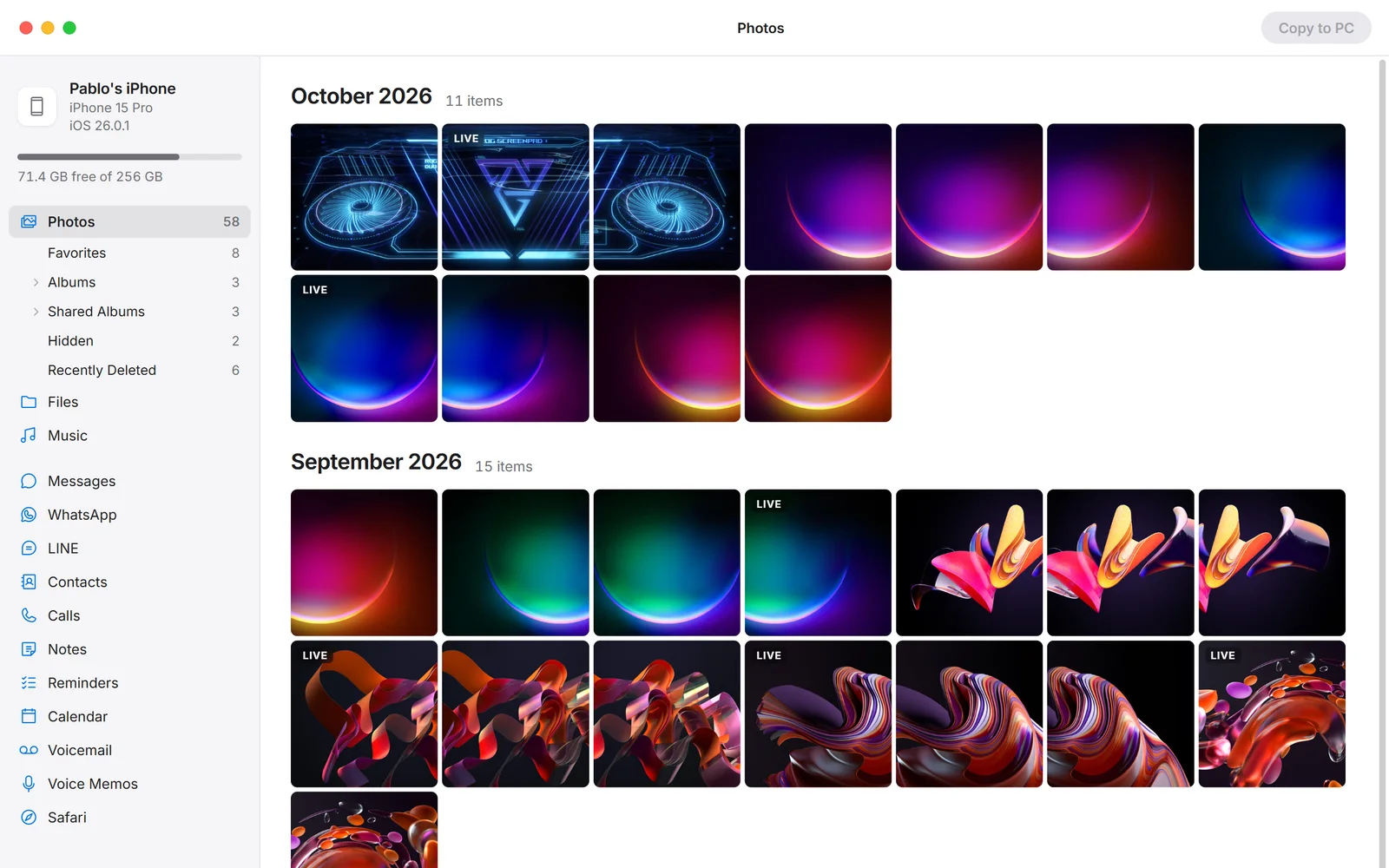
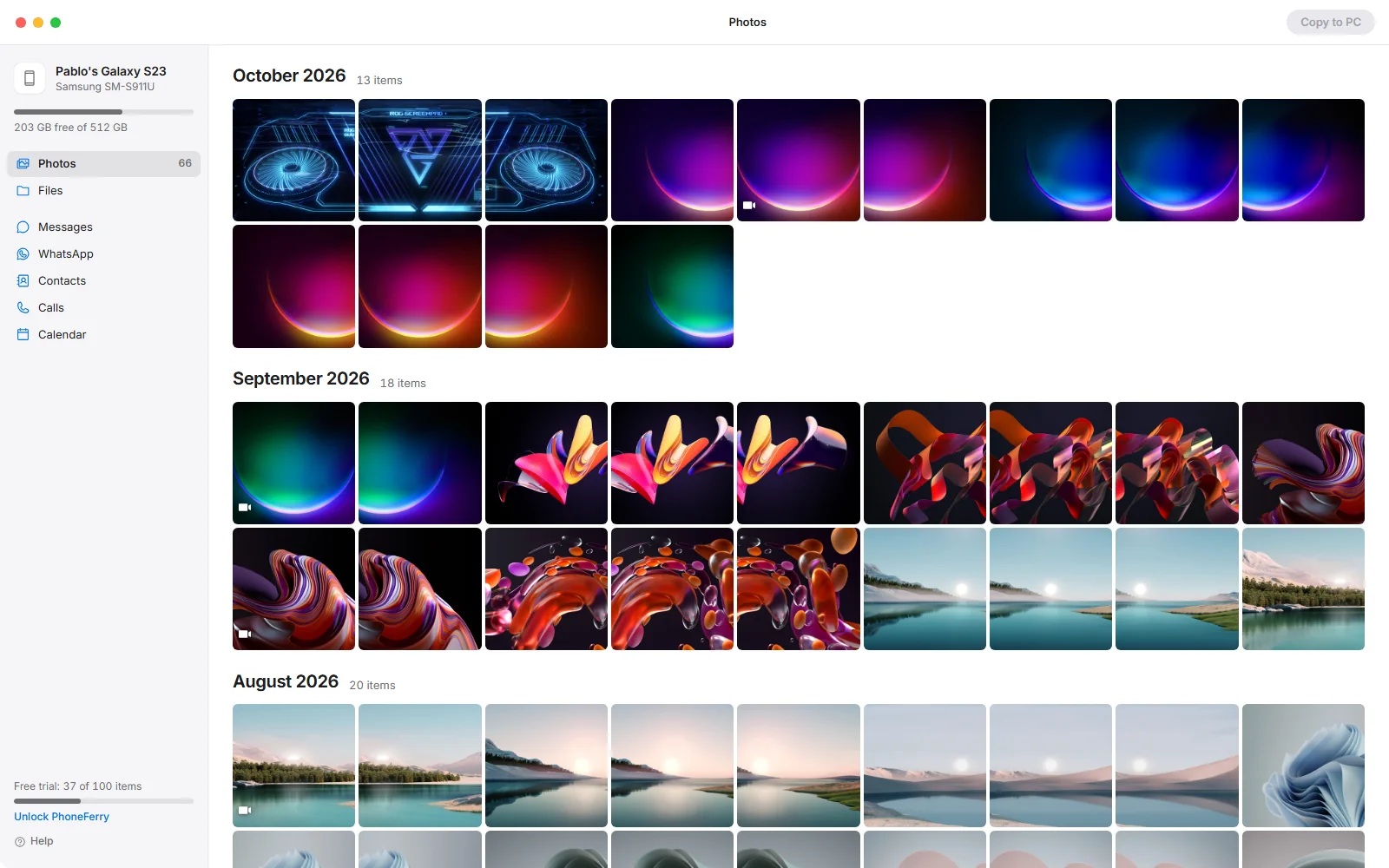
Photos and videos
The whole camera roll by month, on either phone. On iPhone: albums, Shared Albums, favorites and Live Photos, with HEIC becoming JPG if you want it to.
People and plans
Contacts as vCard, calendar as .ics, call log as CSV. On iPhone, reminders and notes as files too.
Files both ways
Drag files from Explorer onto the window and they go onto the phone. On Android that includes the camera roll; on iPhone, any app that shares its folder.
Music and Safari
iPhone songs and playlists as CSV and M3U, Safari bookmarks ready to import into any browser.
Plug in. Pick. Copy.
- Plug inConnect the cable. On an iPhone tap Trust; on an Android phone choose File transfer. PhoneFerry opens on its own.
- PickYour phone's contents are the interface. Click what you want, or a whole month.
- CopyChoose a folder once. Every file lands with its date, and nothing is ever overwritten.
Thirty seconds, start to finish.
The whole thing: plug in, pick, copy, read your messages.
Nothing leaves your PC.
PhoneFerry has no account, no cloud and no telemetry. Your photos and messages are read on your own PC, over the cable. The only connections it ever makes are a licence check when you enter a key, an update check when it starts, and, if you ask for Android messages, one download of Google's own Android tools. Nothing from your phone is in any of them.
Try it on 100 items, free.
Copy or export a hundred things with no time limit. If it did the job, $14.99 unlocks everything on two PCs, forever. Buying opens here the moment the store finishes its review; until then the trial keeps working.
Windows 10 or 11. An iPhone needs Apple's free Apple Devices app or iTunes installed for Apple's USB driver; an Android phone needs nothing installed. If Windows shows "Windows protected your PC" on first run, click More info, then Run anyway; PhoneFerry is new and not yet on Microsoft's list.
Questions
Does it work with Android phones?
Yes, on the same licence. Plug the phone in and choose File transfer on it: photos, videos and files copy to the PC with their dates, and files dropped onto the window go onto the phone, the camera roll included. Messages, contacts, call log and calendar need USB debugging switched on once; PhoneFerry walks you through it. WhatsApp on Android is encrypted by WhatsApp itself, so PhoneFerry saves its archive files for you instead of reading them.
Does it need iTunes?
For an iPhone it needs Apple's USB driver, which comes with the free Apple Devices app or iTunes from the Microsoft Store. PhoneFerry tells you if it is missing and links you to it. An Android phone needs nothing installed.
Why does the first iPhone library read take so long?
Messages, WhatsApp and the rest live in a backup your iPhone sends over the cable, in its own order: app data first, then the photo library, then Messages, Contacts and Calendar. On a phone with hundreds of gigabytes of photos the first read is an overnight job over USB 2. PhoneFerry keeps only the megabytes it needs.
Is my phone's data uploaded anywhere?
No. Everything is read and written on your PC. There is no account and no server.
Does it need the internet?
Only to activate a licence key, once a week to confirm it, and, if you ask for Android messages, one download of Google's own Android tools. Copying, reading and exporting work offline.
My copies are slow.
Most USB-C cords are charge cords with USB 2 data, about 40 MB/s. PhoneFerry shows "Connected over USB 2" when that is the case. A cable rated 10Gbps on a USB 3 port is several times faster.
What happens after the 100 free items?
Copies and exports pause until you enter a licence key. Nothing you already copied is touched, and the trial never expires.
Guides and comparisons
Step by step
How to copy iPhone photos to a Windows PC
How to export iPhone text messages to a PC as PDF, web page or text
How to copy an Android phone to a Windows PC
How to export WhatsApp chats from an iPhone to a PC
How to export iPhone contacts to a PC as vCard
How to copy music from an iPhone to a PC
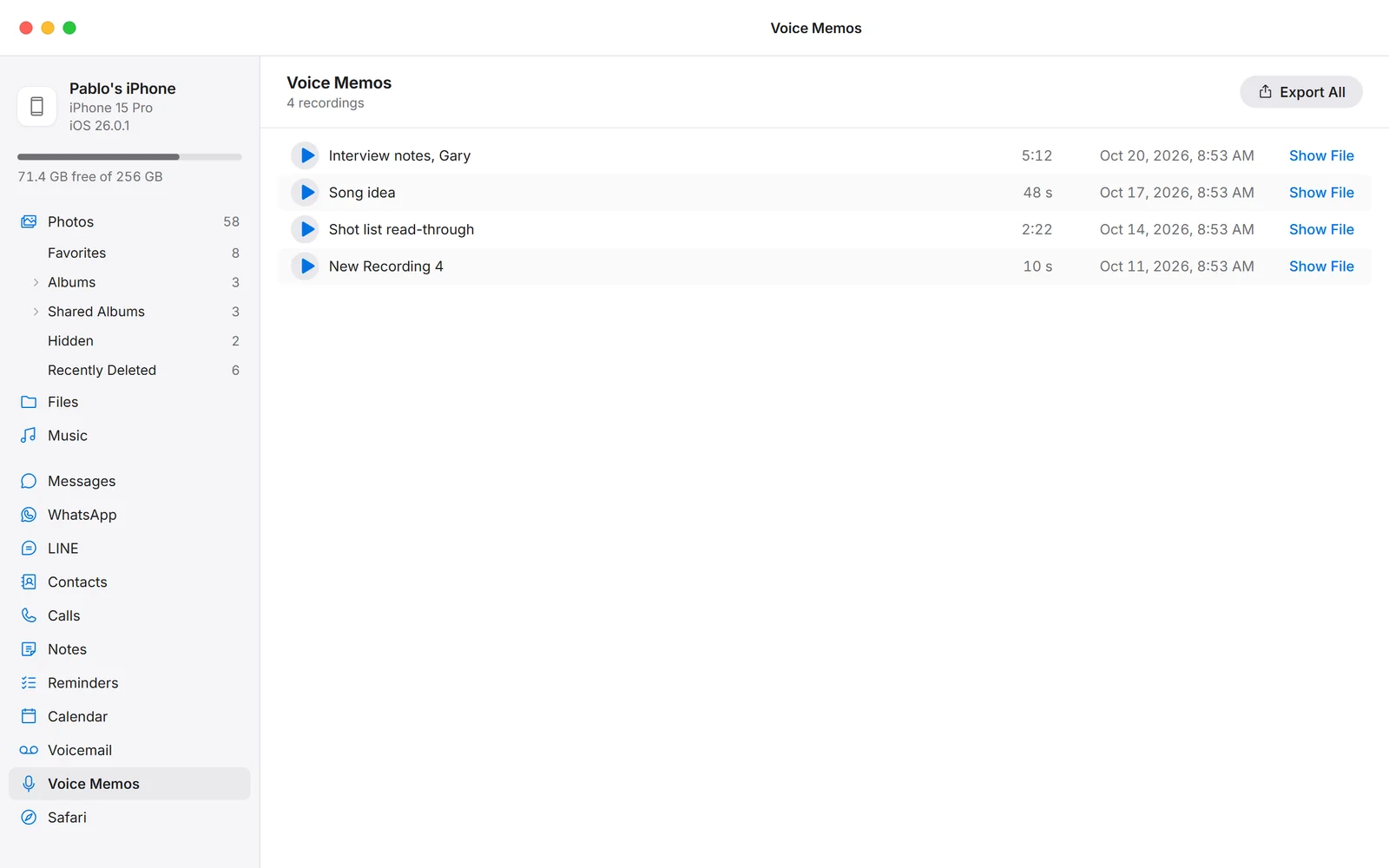
How to save iPhone voice memos and voicemails to a PC
All guides
Against the alternatives
Last updated 25 October 2026. PhoneFerry 0.1.2 for Windows 10 and 11. Written by BlackBox Tools, the maker of PhoneFerry, in Tulsa, Oklahoma.