How to save iPhone voice memos and voicemails to a PC
Every voice memo as an .m4a with its title, every voicemail as the audio file the phone holds, with the caller and date shown beside it. Play them in PhoneFerry first.
Last updated 25 October 2026. Written by BlackBox Tools, the maker of PhoneFerry.
The short answer
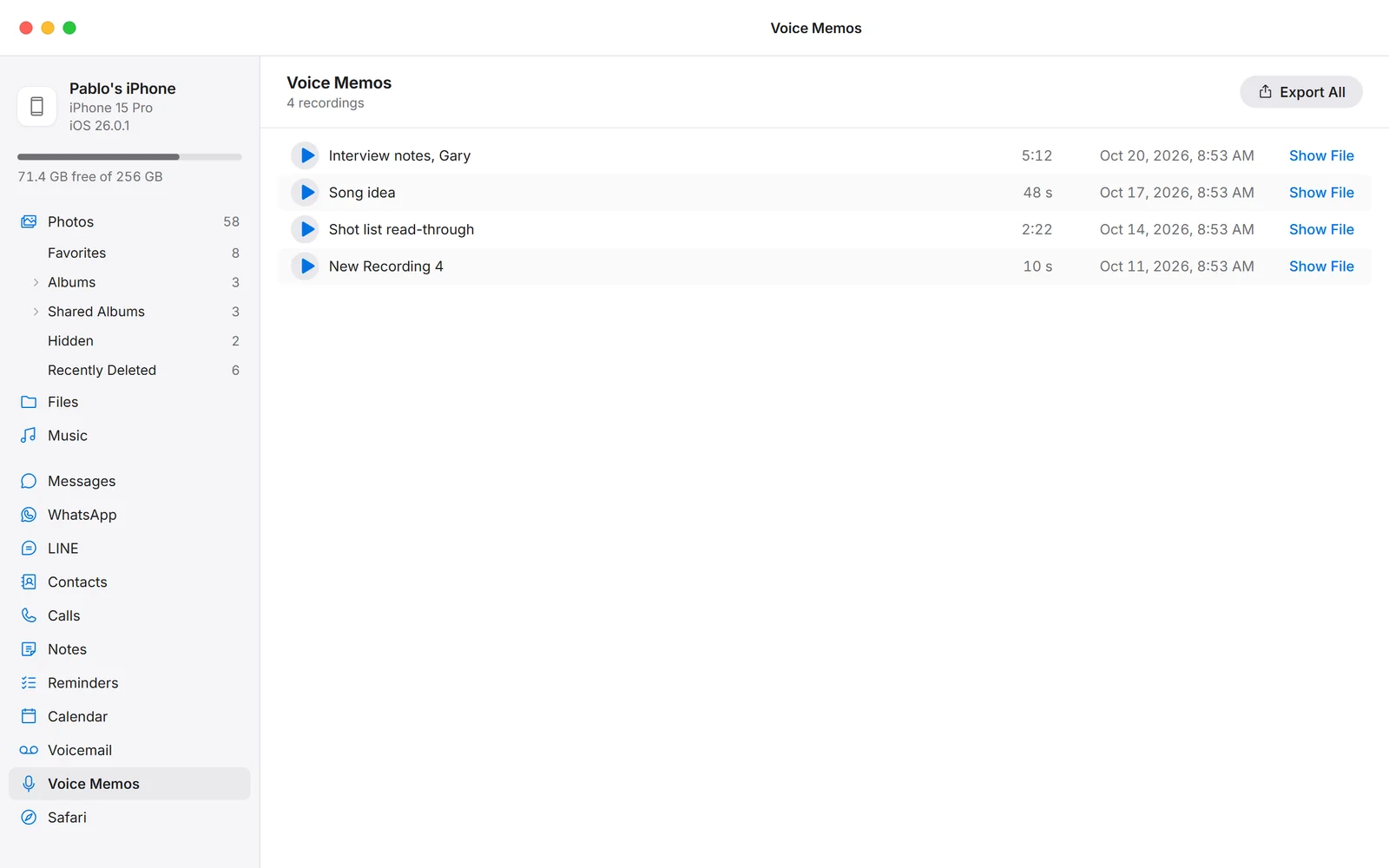
Plug the iPhone in, press Read from iPhone in PhoneFerry, then open Voice Memos or Voicemail. Each recording lists with its title or caller, length and date, and plays in the window. In Voice Memos, press Export All and every memo lands as a titled .m4a file. In Voicemail, each row has a play button and Show File, which opens the folder on the PC where that voicemail's audio file already sits; copy it from there.
Step by step
- Install PhoneFerry and plug the iPhone in. Download PhoneFerry from blackboxtools.com, install it, connect the cable and tap Trust on the phone.
- Read the library once. Click Voice Memos or Voicemail and press Read from iPhone. Voice memos arrive early in the stream, usually within the hour; voicemail comes with the main library.
- Listen and export. Each recording plays in the window with a play button. Voice Memos: press Export All, choose a folder, and every memo is written as an .m4a named by its title. Voicemail: press Show File on a row and the folder holding that voicemail's audio file opens on the PC; copy the file where you want it.
Questions
What format are the files?
Voice memos are the phone's own .m4a files, untouched. Voicemails are the carrier's audio files as stored on the phone, usually .amr, which Windows Media Player, VLC and every phone play.
Does it include deleted voicemails?
Voicemails the phone still holds, including ones in its Deleted Messages list that have not been erased yet, are read. Ones the carrier has removed are gone.
Is anything uploaded?
No. The recordings are read from the phone on your own PC over the cable.
What does it cost?
Each exported recording is one trial item; the first 100 are free with no time limit. Then $14.99 once, for two PCs, for life.